
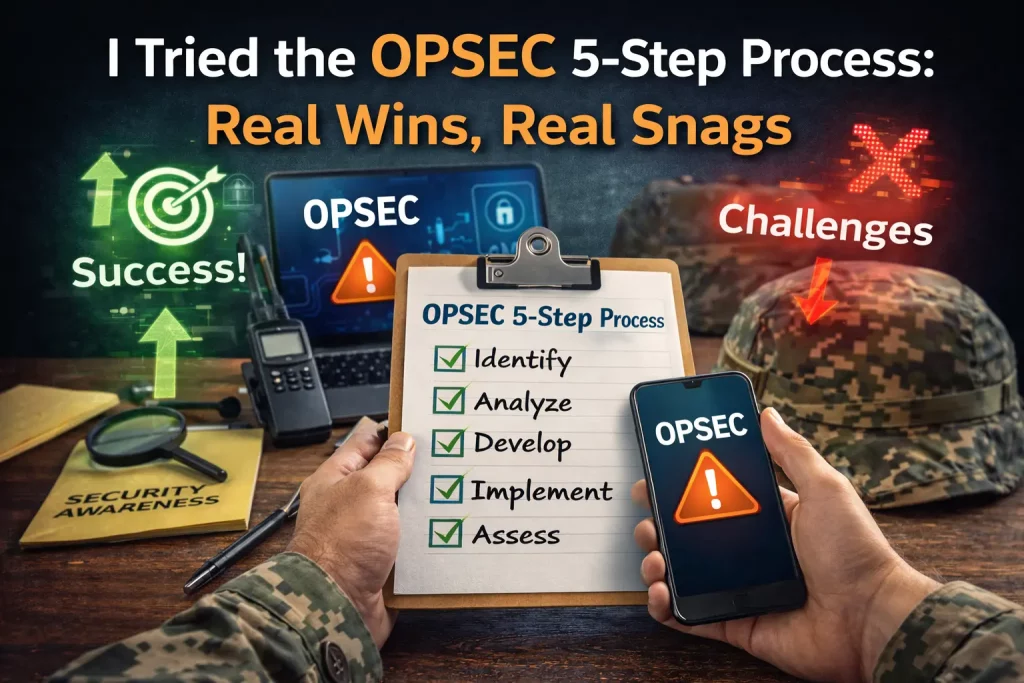
Here’s my quick plan:
- Set the scene (why I used OPSEC)
- Walk through the five steps with simple, real examples
- Share what worked and what didn’t
- Close with who it helps and my bottom line
Why I even needed this
I run ops for a small youth program. Sports, snacks, forms, and a lot of parents. We also hold fundraisers and handle donor notes. One spring, we had two close calls. A fake invoice almost got paid. And a stranger took a photo of our staff board near the door. Names were right there.
I decided to use the OPSEC 5-step process (see the official Operations Security (OPSEC) 5-step outline from the U.S. Department of Commerce). It felt a bit heavy at first. But you know what? It worked better than I thought. I captured the full play-by-play—including every real win and snag—in this detailed rundown.
What OPSEC means in plain talk
OPSEC sounds like spy stuff. It’s not. For a clear-cut primer, the SANS Institute breaks down what OPSEC is and why it matters. It’s a simple loop:
- Find your “must-protect” info
- Think about who might want it
- Find weak spots
- Rate the risk
- Add guardrails and check again
It’s common sense with a checklist.
If you want even more field-tested tips on guarding everyday information, swing by Reason to Freedom for straight-talk guides that pair perfectly with this 5-step loop. And if you're hunting for a straight answer on which OPSEC trainings are actually worth your time, my comparison post here breaks down what genuinely helped.
Step 1: Identify critical information
What would hurt if it leaked? We made a short list:
- Donor list with notes and amounts
- Staff phone numbers and home times
- Field trip plans (routes, dates, bus times)
- Kids’ medical notes and allergy sheets
- Payment details for vendors
Real example: Our summer camp roster sat on a front desk clipboard. Names, ages, and pickup people. Parents could see it while signing in. Not great.
Fix we tried: New sign-in sheet with only initials and a student ID. Full roster moved to a locked Google Drive folder. Staff could see it on a tablet.
Step 2: Analyze the threat
Who would even want this stuff? We were honest:
- Scammers who send fake bills
- Nosy folks who overshare on social
- A bored teen who likes to poke around
- A burglar who targets gear (laptops, cameras)
Real example: We got a “past due” email that looked like it came from our printer vendor. Same logo. Different domain. Our bookkeeper flagged it. Good catch.
Step 3: Spot the weak spots
We took a quiet walk. No blame. Just eyes open. We found:
- Whiteboard with staff names and shifts facing a window
- “Anyone with the link can view” on one big Google Sheet
- A box of old name tags in the trash (full names!)
- One laptop auto-logged into email
- Zoom links posted in a public calendar
Real example: A kind parent mentioned they could read the whiteboard from the sidewalk. Oof. We moved it. Frosted film on the glass fixed the rest.
Step 4: Rate the risk
We kept it simple: low, medium, or high.
- High: kids’ medical notes leaking? That’s high.
- Medium: donor list? Impact big, but less likely.
- Low: snack plan? Not a big deal.
We put red, yellow, or green dots on a one-page chart. No fancy math. If it felt bad and easy to happen, it went red.
Step 5: Pick countermeasures (and keep them human)
We used guardrails, not walls. Here’s what actually helped:
- Two-factor login for email, Drive, and Slack (we used 1Password for codes; a few staff used Authy)
- “Viewer” by default on shared files; no more “anyone with link”
- Waiting rooms on Zoom; we admit known names only
- Guest Wi-Fi for parents; staff Wi-Fi hidden and different
- Privacy screens on two front-desk monitors
- Locked shred bin; old name tags got shredded
- Clean-desk rule at closing (quick 3-minute sweep)
- Monthly 10-minute “security huddle” with two real stories
Real example: A volunteer almost sent a roster to a personal email. The system blocked outside sharing. She pinged me on Slack. We set her as “viewer,” and used a redacted copy for parents. Easy win.
Another: Our treasurer got a “boss” text asking for gift cards. We had a rule: money talk stays in email with subject tags like [PAY]. She knew to ignore the text. That rule paid off.
Stuff I loved
- Clear language: “What could hurt if seen?” clicked with everyone.
- Small moves, big effect: Frosted film and a shred bin did more than any poster.
- Team buy-in: People like simple rules and short huddles.
- It scales up or down: Worked for my tiny team and our larger event crew.
Stuff that bugged me
- It takes time at first. The first walk-through took a full morning.
- People forget. We had “link sharing” slip twice. Old habits.
- You can feel paranoid. We had to remind folks this is about care, not fear.
- False safety is a trap. Tools help, but people matter more.
Real before/after moments
- Clipboard at the front desk: Switched to initials and IDs. Parents felt better.
- Staff board by the door: Moved inside; added film on glass.
- Zoom crashers: Waiting room on. Problem stopped.
- Vendor scam: We set a code word for payment changes. Zero losses since.
Tips that kept it human
- Praise the catches. People light up when you thank them.
- Keep rules in plain words. No long policies at the counter.
- Use stories. “Last month we almost…” sticks better than charts.
- Set defaults right. If the tech blocks mistakes, that’s one less worry.
Who this helps
- Schools, youth groups, clinics, small nonprofits
- Any team with names, dates, money, or health notes
One unexpected resource: For community hosts trying to advertise edgy in-person meet-ups without doxxing themselves, check out the techniques highlighted at Fuck Local. They show how to publish event info and still keep organizers’ identities and contact data behind a privacy curtain—perfect if you want the crowd but not the creep factor.
Along similar lines, if you need discreet intel on massage parlors in Michigan and want to vet them without leaving a loud digital trail, the crowdsourced Rubmaps Farmington review hub offers granular venue details, safety notes, and user experiences so you can make an informed choice while maintaining your privacy.
Who may need more: High-risk orgs, hospitals, or folks with legal requirements. You’ll want deeper tools and audits.
The verdict
OPSEC’s 5-step loop made our place calmer and safer. It wasn’t magic. But it gave us eyes and rhythm. We caught risks earlier. We shared less by accident. We lost less time to silly scares.
Score: 4.5 out of 5. I’d use it again, and I’d start small. One walk-through. One huddle. One change you can keep. Then build from there.